 How-to
Do Smart Garage Openers Work Offline? What Still Works
Last Updated: November 15, 2026
Quick Summary
Smart garage openers still open your door when offline, but you lose app control and remote monitoring. The wall control, your remote, and the keypad keep working because they talk to the opener directly, not through the cloud.
- An internet outage cuts the cloud link, while a power outage cuts everything unless you have a backup battery.
- Check the opener's LED first: a dark opener with a dark house means a power problem, not a connectivity problem.
- During an internet outage, press the wall-mounted switch, then a visor remote or keypad, and confirm the safety sensors are clear.
- Many openers only join a 2.4 GHz network, so a 5 GHz-only router can knock the controller offline.
- A battery backup keeps the opener running during a power cut but does not keep the app online.
Table of Contents
- What Still Works When Your Smart Garage Opener Goes Offline
- How to Open Your Garage Door During an Internet Outage
- MyQ Garage Door Opener Offline Fix: A Step-by-Step Diagnostic
- How to Connect Your Garage Opener to Wi-Fi (and Reconnect After a Network Change)
- Garage Door Opener Battery Backup: What It Covers and What It Doesn't
- Safe Manual Release and Re-Engagement for Your Door
- Privacy and Security While Your Opener Is Offline
- Get a Backup Access Plan Before the Next Outage
- Frequently Asked Questions
What Still Works When Your Smart Garage Opener Goes Offline
Yes, do smart garage openers work offline? The short answer is that smart garage openers still open your door.
This question comes up most often during winter storms and router swaps. The panic is real, but the fix is usually simple.
Here is the part most guides miss: "offline" can mean two very different things. Your internet may be down, or your power may be out. Those are not the same problem, and they do not have the same backup.
Below, we break down what still works, how to diagnose the issue, and how to plan ahead so a dropped signal never traps your car.
Internet Outage vs. Power Outage: Two Very Different Problems
An internet outage cuts the cloud link. A power outage cuts everything unless you have a backup battery.
- Internet outage: The opener has power. The Wi-Fi or router is down. Local controls still work.
- Power outage: The opener has no power at all. Only a battery backup or manual release helps.
So check the lights first. If the opener's LED is dark and the whole house is dark, you have a power problem.
That single check saves most homeowners a wasted service call.
Here is how the two kinds of outages differ and what keeps working in each case.
| Outage type | What is cut | What still works |
|---|---|---|
| Internet outage | Cloud link; Wi-Fi or router down | Wall control, remote, keypad |
| Power outage | All power to the opener | Battery backup or manual release |
How to Open Your Garage Door During an Internet Outage
During an internet outage, open the door with the wall control, a remote, or the keypad. None of these need the cloud. The opener receives the signal locally and runs the motor as usual.
Follow these steps:
- Press the wall-mounted switch inside the garage.
- If that fails, use a visor remote or keypad.
- Confirm the door's safety sensors are clear and aligned.
- Watch the door cycle fully before driving off.
The app is the only thing that stops working. Everything wired or paired directly to the opener keeps running.
Using the Wall Control and Remote When the App Is Down
The wall control is your most reliable option. It is wired straight to the opener, so it works through internet outages and Wi-Fi changes.
A common mistake is assuming the app is the main control. It is not. It is a convenience layer on top of local hardware.
If you rely on smartphone control often, it helps to understand the trade-offs. Our breakdown of smartphone garage door control pros and cons covers what you gain and what you give up when the app goes dark.
MyQ Garage Door Opener Offline Fix: A Step-by-Step Diagnostic
The fastest MyQ offline fix is to work from the opener outward: power, then local controls, then Wi-Fi, then internet, then the app.
Run this order:
- Confirm the opener has power. Check the LED, the light, and the outlet. If the opener is dark, stop here and treat it as a power problem.
- Prove local control. Press the wall control. If the door moves, the opener and motor are healthy and the problem is connectivity. If it does not move, the issue is the opener or its wiring, not the app.
- Check the Wi-Fi signal at the opener. Look at the opener's Wi-Fi indicator or the hub's status light. A weak signal at the garage is a common cause of intermittent offline status.
- Test the internet separately. Open a browser on your phone using Wi-Fi. If it loads, your internet is fine and the problem sits with the opener's connection.
- Reboot the router and modem. Wait for them to come back fully, then watch whether the opener rejoins on its own.
- Reconnect the opener to Wi-Fi if the network name or password changed.
If the app still shows offline after all six, the issue is usually pairing, not the door. A full reset clears stale settings. Our guide on how to reset a garage door opener walks through the steps for common models.
Check Power, Then Check Local Control, Then Check Internet
Start with the obvious. Is the opener plugged in? Has a GFCI outlet tripped? Is the circuit breaker on?
Then prove local control before you touch the network. Press the wall control and watch the door.
Only after that should you test the internet. Open a browser on your phone using Wi-Fi. If it loads, your internet is fine and the problem sits with the opener's connection.
Router, Modem, and Network Changes That Knock a Controller Offline
Most surprise disconnects trace back to a network change. A new router, a new password, or a switched band can drop a controller offline in seconds.
Watch for these:
- A new router or modem from your internet service provider
- A changed Wi-Fi password or network name
- A shift between 2.4 GHz and 5 GHz bands
Many openers only join a 2.4 GHz network. If your router now pushes 5 GHz only, the controller cannot see it. Split the bands or enable a 2.4 GHz channel, then reconnect. If pairing still fails, move the router closer or add a Wi-Fi extender near the garage. Signal coverage matters more than most people expect, especially in detached garages.
When the App Stays Dark: A Safe Fallback
If the app will not reconnect and you need to leave or park, do not wait on the cloud. Use the wall control, a remote, or the keypad, and confirm the safety sensors are clear and aligned before you drive off.
Watch out: do not pull the manual release as a troubleshooting step while the opener still has power. Pulling it disconnects the door from the motor, and re-engaging it requires closing the door fully and reconnecting the carriage.
How to Connect Your Garage Opener to Wi-Fi (and Reconnect After a Network Change)
To connect a garage opener to Wi-Fi, put the unit in pairing mode, then use the manufacturer's app to join your 2.4 GHz network. Reconnecting after a network change follows the same steps.
Here is the process:
- Open the app and choose "add device."
- Press the opener's pairing button until the LED flashes.
- Select your home network and enter the password.
- Wait for the app to confirm the connection.
- Test open and close from the app.
If pairing fails, move the router closer or add a Wi-Fi extender near the garage. Signal coverage matters more than most people expect, especially in detached garages.
Keep your network name and password written down. The next router swap will be far easier.
Garage Door Opener Battery Backup: What It Covers and What It Doesn't
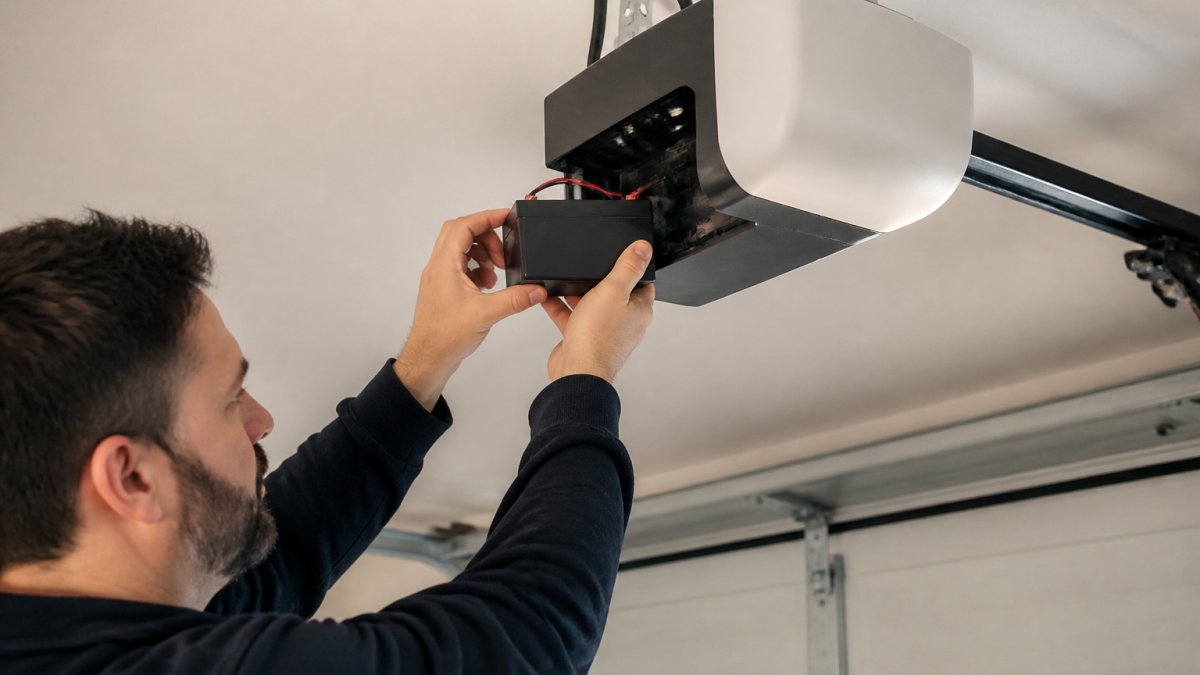
A battery backup keeps the opener running during a power outage. It does not keep the app online, because the internet is likely down too.
What it covers:
- Opening and closing the door during a power cut
- A limited number of cycles before the battery drains
- Peace of mind during storms
What it does not cover:
- App control when the internet is down
- A dead or aging battery
- Wi-Fi or router problems
Batteries age. Test yours a few times a year by cutting power at the breaker and running one cycle. For tips on keeping that backup ready, see our guide on making your opener battery backup reliable.
Safe Manual Release and Re-Engagement for Your Door
Manual release lets you open the door by hand when there is no power and no backup.
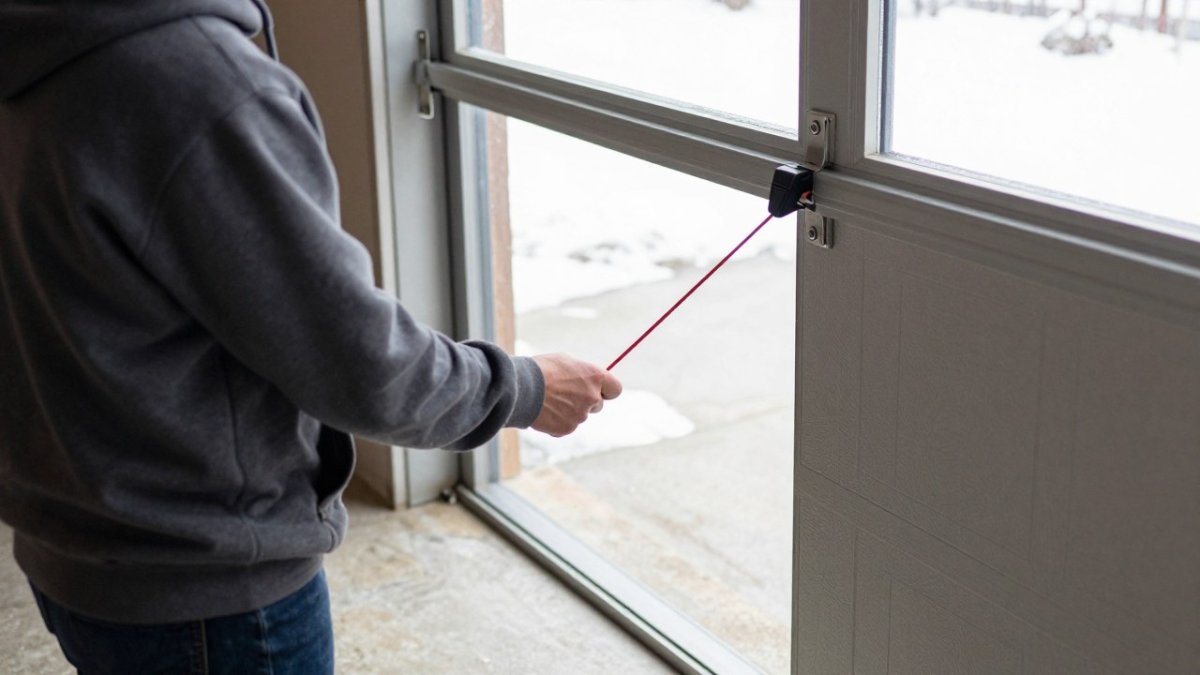
Do this safely:
- Make sure no one is under the door.
- Pull the release cord straight down.
- Lift the door slowly by hand.
- Prop it fully open before walking away.
To re-engage, close the door fully, then pull the cord again or run the opener until it reconnects with the carriage. Never force the door while the motor is running.
Watch out: pulling the release while the door is open can let a weak or broken spring drop the door fast.
Privacy and Security While Your Opener Is Offline
An offline opener is not an unlocked door. Local controls still need a paired remote, keypad code, or wall switch. The main risk is not break-ins; it is confusion and stale app access.
A few habits protect you:
- Change keypad codes after a move or a lost remote
- Remove old users from the app when you reconnect
- Keep the manual release cord reachable but not exposed outside
When you set the app back up, review who has access. Our guide on smartphone garage door app safety covers setup and security in more detail.
Get a Backup Access Plan Before the Next Outage
The best time to plan for an outage is before it happens. A little prep now beats a locked-in morning later.
Build your plan around these pieces:
- A working wall control and a spare remote
- A fresh battery in the keypad and backup unit
- Your Wi-Fi name and password on hand
At Garage Door Connection, we install and repair openers with smartphone control and battery backups built for our cold winters and temperature swings. You can explore opener repair and installation with our team.
A dropped connection should never leave you stuck in the driveway. If your opener keeps going offline or your backup battery will not hold, Garage Door Connection can help.
Frequently Asked Questions
Can you open a smart garage door without Wi-Fi?
Yes. The opener motor and its local controls do not depend on Wi-Fi. A wall-mounted control, a remote in your car, and an outside keypad all send a signal directly to the opener. The smartphone app is the part that needs an internet connection. If your Wi-Fi or internet service provider is down, walk to the wall control or use your remote and the door will open normally. Keep a working remote in the car and a keypad outside so you are never locked out when the network drops.
Does a smart garage door opener work during a power outage?
Only if it has a battery backup or you release the door manually. Without power, the motor cannot run, so the wall control, remotes, keypad, and app are all useless. A garage door opener battery backup keeps the motor running for a limited number of open and close cycles. If you have no backup, pull the manual release cord to disconnect the door from the opener and lift it by hand. Test the release once a year so you know it moves freely before you need it.
Why does my garage door opener say offline when the internet is working?
The opener is usually connected to your Wi-Fi, not directly to the internet, so a working internet connection on your phone does not prove the opener is online. Common causes are a changed Wi-Fi password, a new router, a weak signal at the garage, or a brief power blink that reset the controller. Check the opener's power supply first, then confirm the Wi-Fi network name and password in the app. If the signal is weak, move the router or add a Wi-Fi extender near the garage.
Can a garage door keypad or remote work when a smart opener is offline?
Yes, as long as the opener has power. Remotes and keypads talk directly to the opener over a local radio signal, so they do not need Wi-Fi or the internet. The keypad still needs its battery, and the remote needs a working battery too. If the door will not respond to any local control, the problem is power or the opener itself, not the network. That is the point to call a technician for a diagnostic visit.